GPS Navigation in the Backcountry: Garmin vs Apple vs Phone
GPS in the backcountry is a solved problem, but most people carry the wrong device. Here's the real current state.
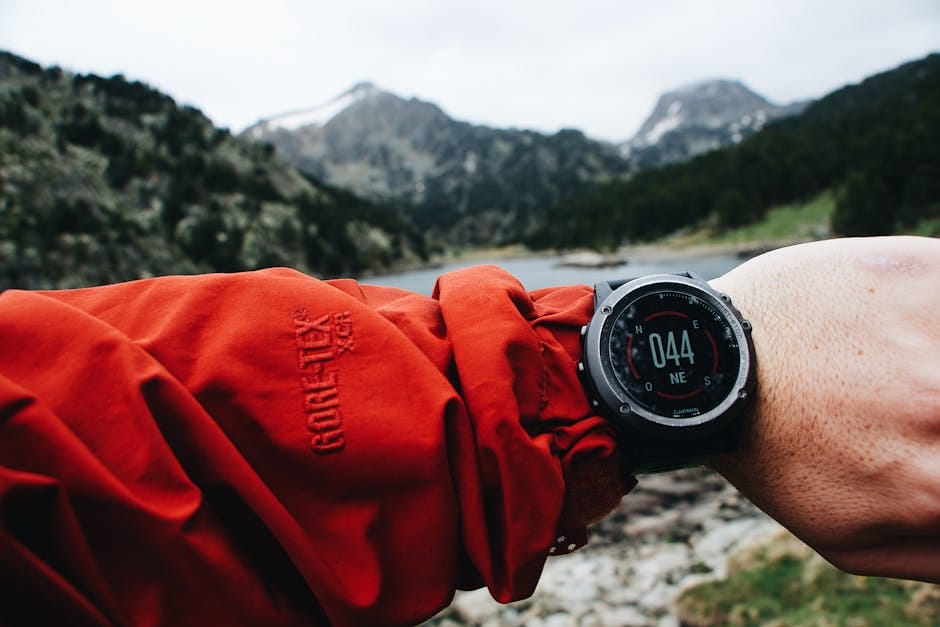
GPS in the backcountry has quietly become a solved problem, but most people still carry the wrong device. The old wisdom was "get a Garmin." The new reality is that smartphones, with the right app and a battery strategy, often outperform dedicated GPS devices. The Apple Watch Ultra is now a legitimate backcountry navigation tool. Garmin still has a place, but it's a smaller place than the marketing suggests.
I've navigated with paper maps, with dedicated Garmins, with phone apps, and with the Apple Watch Ultra. Each has strengths. The best combination for most people isn't just "Garmin" - it's a deliberate choice based on what kind of trips you do.
Dedicated GPS Devices (Garmin)
Garmin still makes the ruggedest dedicated GPS devices. The Garmin GPSMAP 66sr and the Garmin eTrex 32x are the standards. They run 15-25 hours on AA batteries, work in any weather, and survive falls and submersion. For multi-day expeditions in remote terrain, they remain the safest choice.
The downsides: they're expensive ($400-600), the interfaces are dated, and the maps are locked to Garmin's ecosystem. Importing your own maps requires specific file formats. The screens are small and low-resolution compared to phones.
Use case: expeditions to truly remote places (Patagonia, Alaska, Greenland), routes where a phone battery failure would be catastrophic, serious multi-day alpine trips. If you're going somewhere where you can't recharge for 7+ days, a dedicated Garmin is still worth owning.
Best dedicated GPS devices
- Garmin GPSMAP 66sr - rugged, long battery, $500
- Garmin eTrex 32x - compact, cheap, $280
- Garmin GPSMAP 67i - includes satellite messaging, $600
Phone-Based Navigation
A modern smartphone with the right app is better than most dedicated GPS devices. The key apps: Gaia GPS, Caltopo, and Onx Backcountry. These let you download maps offline, plan routes, track your progress, and share locations.
iPhone 15+ and modern Samsung Galaxy phones have excellent GPS receivers. They acquire satellite locks quickly, stay locked in forested terrain, and give sub-3m accuracy in open terrain. The built-in altimeter on these phones is accurate to within 5m with occasional recalibration.
The critical issue with phones: battery. A standard iPhone 15 gets 8-10 hours of GPS tracking. An iPhone 15 Pro with power-saving features gets 12-15 hours. Add an external battery pack (Anker PowerCore 10000) and you're good for a multi-day trip. Without an external battery, you'll kill your phone by afternoon on day 1.
Essential apps for phone navigation
- Gaia GPS - topo maps, route planning, $40/year
- Caltopo - excellent for backcountry skiing and climbing, $40/year
- Onx Backcountry - newer, strong hunting features, $30/year
- Apple Maps/Google Maps - backup only, no topo
Apple Watch Ultra: The New Option
The Apple Watch Ultra and Ultra 2 have become legitimate backcountry tools. They have independent GPS, a 3,000-nit display that's readable in direct sun, and 36+ hour battery life with GPS active. They run standalone apps like Gaia GPS Watch, which let you navigate without your phone.
The watch doesn't replace a phone or a Garmin. What it does is give you a quick glance navigation tool. You can see your position, compass heading, and elevation without pulling out your phone. In rain, snow, or while wearing gloves, this is genuinely useful.
For hiking, fastpacking, and trail running, the Apple Watch Ultra is an excellent addition. For technical alpine climbing where you need detailed maps, it's not a replacement for the phone or dedicated GPS. Think of it as a complement.
The Paper Map Reality
Paper maps haven't been replaced. They're still essential for serious trips. No battery to die, no screen to crack, no subscription to lapse. A waterproof paper map (Tyvek or treated paper) is lightweight and indestructible.
For the US: USGS 7.5-minute quads are the standard. These are free to download and print. The Mytopo and Caltopo services let you customize print maps. For national parks and heavily-used areas, Trails Illustrated maps are excellent.
For Europe: IGN maps in France, Kompass in Austria/Germany, OS maps in the UK. Each has specific coverage areas at useful scales (1:25,000 or 1:50,000).
The paper map's role has shifted. It's no longer your primary navigation tool - that's your phone. But when your phone dies or fails, the paper map is what gets you out. Always carry one.
Strategy for Each Trip Type
Day hike: phone with Gaia GPS and downloaded offline map. External battery optional for shorter trips. Paper map as backup.
Multi-day backpacking: phone + external battery + paper map. Apple Watch Ultra if you own one. No need for a Garmin.
Alpine climbing: phone + paper map + compass. Garmin as backup for technical routes where getting off route is dangerous.
Expedition (7+ days, remote): phone + external battery + solar charger + dedicated Garmin + paper maps. Yes, this sounds redundant. When you're 10 days from anywhere, redundancy is what you need.
Common Navigation Mistakes
Mistake 1: relying on one device. Any single device can fail. Always carry a backup, even if it's just your phone plus a paper map.
Mistake 2: not downloading maps before departure. GPS without maps is just a coordinate display. Make sure your maps are downloaded offline and you've tested them in airplane mode before leaving cell coverage.
Mistake 3: not calibrating altimeters. The altimeter in phones, watches, and dedicated GPS devices drifts over time. Calibrate at a known elevation (trailhead, peak) before relying on altitude readings.
Mistake 4: assuming GPS works in all terrain. Deep canyons, dense tree cover, and some technical terrain (narrow couloirs) degrade GPS signal. Know how to navigate without GPS - compass and map basics haven't changed in a hundred years.
The right navigation setup depends on your trip, but the wrong setup is almost always "just one device." Build redundancy. Train with every tool you carry. When you're lost in a whiteout, you don't want to be learning to use a compass for the first time.